
Decide who picks the seat
For a concert where the view changes by row, let guests choose a specific seat when they buy. For a dinner where you want to keep families together, you may want to sell admission first and assign places after the guest list closes. Ambrosia offers You seat attendees on request. See how host-assigned seating works.
In Studio, open the event and go to Setup → Ticketing → Add a seat map. Choose Attendees pick their seats to let guests book directly from the map. Choose a starting layout or upload the venue’s plan. Assign each section to an existing ticket, create a new ticket for it, or leave the section off sale. Click Create seat map.
Reconcile the map with the room
Walk one route from the public entrance to a seat at the far end. Note how the venue labels its doors, rows and seats, which side the numbering starts on, and where guests can sit with a companion. Use the same labels when you build your seat map. Ask the venue to confirm the accessible locations before marking them.
In the map’s Seats tool, select any seats that must stay empty and mark them Not for sale. To reserve other seats temporarily, select them and open Holds. Give the hold a name your team will recognize. Add an access code if guests will claim their own seats, or keep them held until your team assigns or releases them. Create and manage seat holds.
Before opening sales, reconcile the counts. For example, a 60-seat room with four seats off sale and six held should have 50 seats available to the public.
Test a pair of seats before sharing
Open Seat map → Tickets and edit each ticket you created from the map. Add the price and click Publish for each one. Seated inventory comes from the map. If the count is off by two, check which ticket the seats sell as and which holds cover them. Review seated ticket inventory.
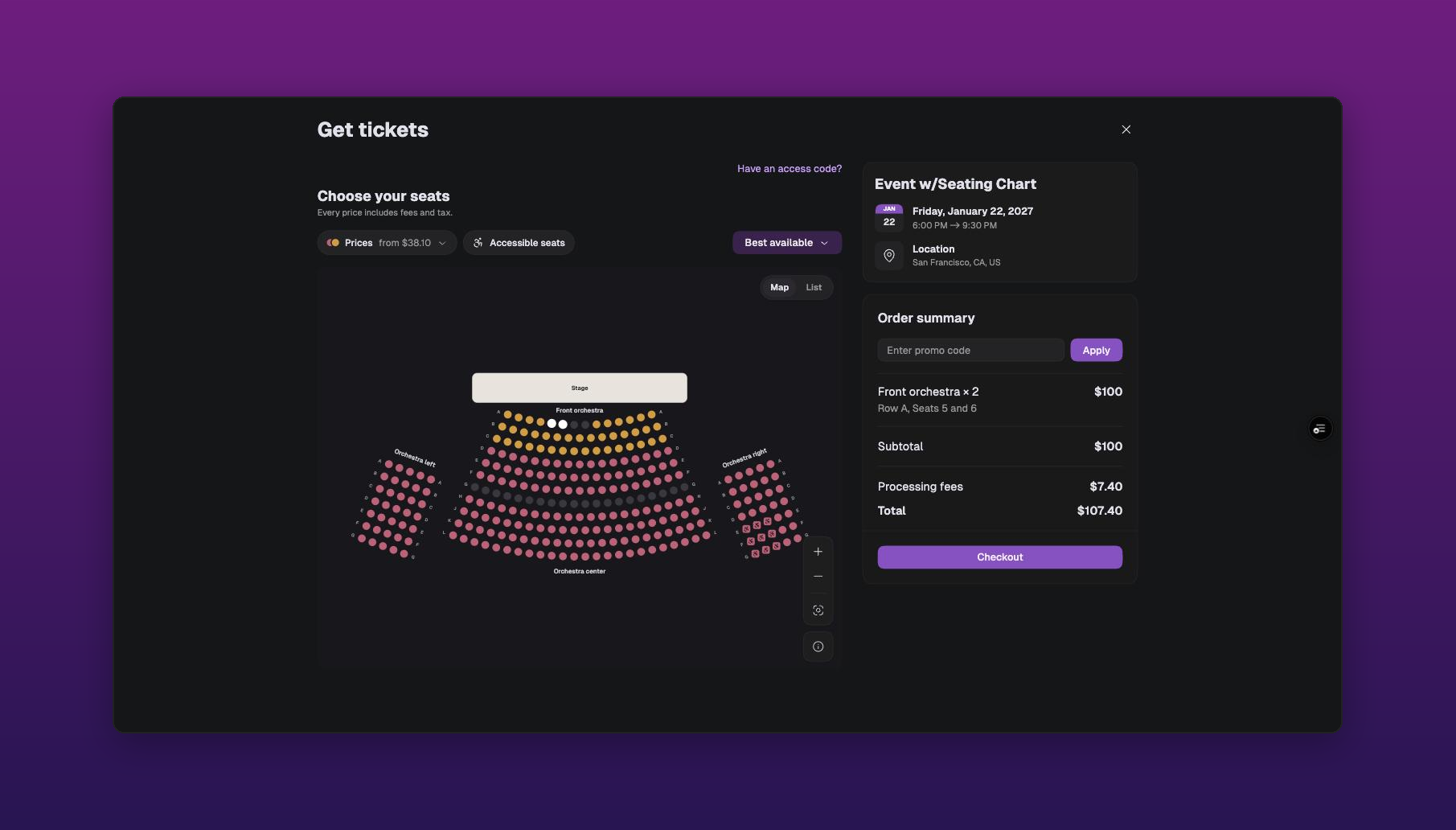
Open the published event link as a guest. Pick two adjacent seats and read their section, row, numbers and total in the order summary. Compare them with the physical seats. Check that a guest browsing without a code can’t select the venue’s held seats. Stop before paying. See the guest’s seat picker.
Hand the room to the door lead
Put the hold name, release time and person authorized to release it on the door sheet. A hold reserves a place. Someone arriving for one of those six places still needs an issued ticket to scan.
If two guests appear to have the same seat, compare the date, section and row on both tickets before reseating either person. Have the person managing the map find the attendee and use Move seats if a move is needed. They can send the updated seat assignment, and the guest keeps the same QR code. Move a guest with a sold seat.

