
Overview
Your Organizer Profile is your public home on Ambrosia: a banner, your story, your links and all your public events in one place. Every workspace has one. Open Pages in the left sidebar and click Organizer Profile.
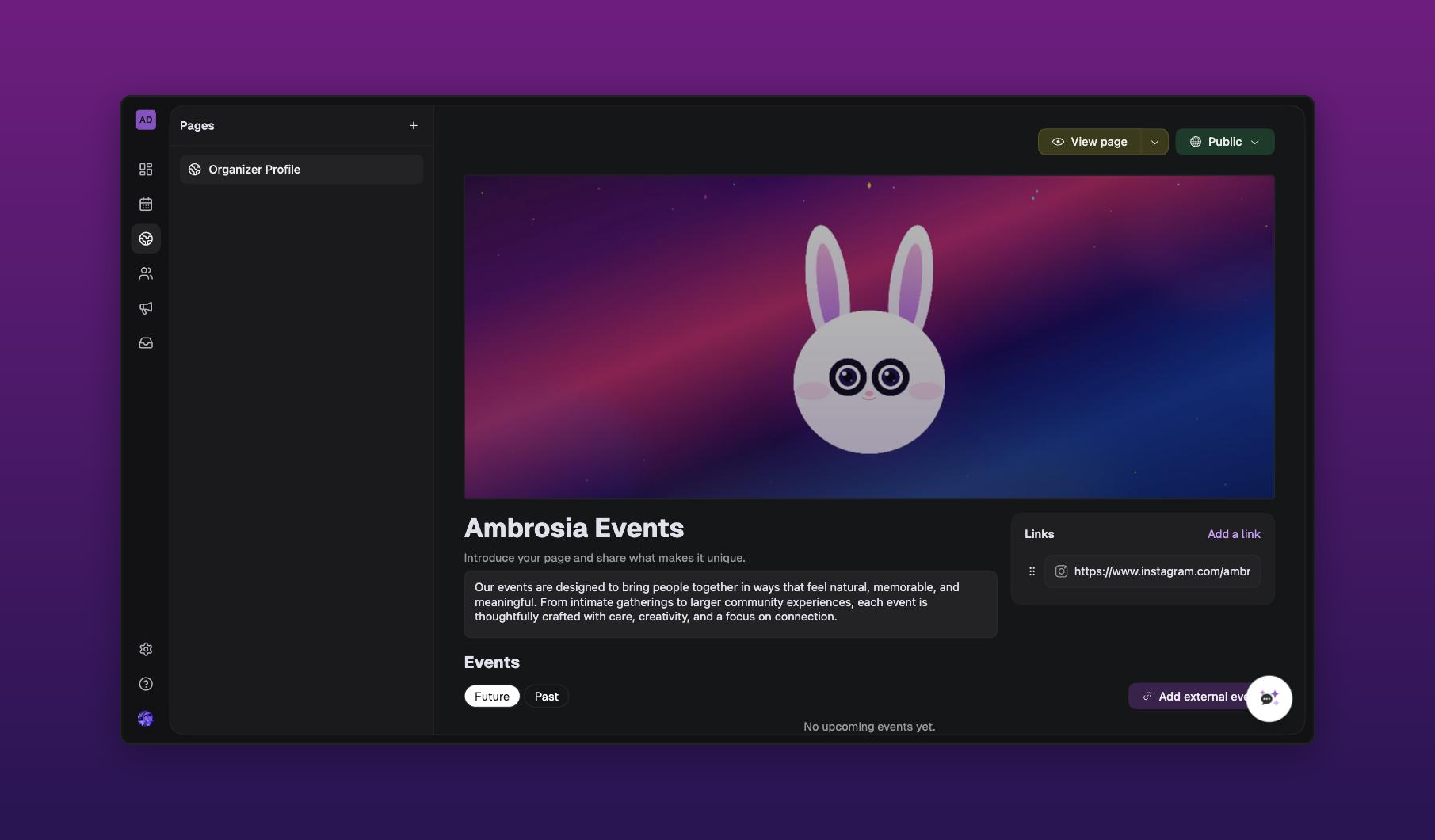
Build your profile
- Banner image: the wide image across the top. Hover over it and click Upload to add or replace it, Reposition to adjust what shows, or the trash icon to remove it.
- Page title: click the large title (your workspace name to start) to edit it.
- Introduction: in the box under "Introduce your page and share what makes it unique," write a few sentences about who you are and what your events feel like.
- Links: click Add a link to add your Instagram, website or other links. Drag the six-dot handle to reorder them.
- Events: your published, Public events appear here automatically, split into Future and Past tabs. Link-only and draft events don't show.
- Add external event: list an event hosted somewhere else. Paste its Event URL, click Fetch details to fill in the form automatically, edit anything you need, then save. It's great for highlighting events you're participating in or that you'd like to showcase.
Publish and share your page
- The button at the top right shows the page's status (for example Public). Click it for Visibility & Sharing settings (visibility, password protection and page URL) or Unpublish (moves the page back to draft).
- Click View page to see it as visitors do. Click the arrow beside it for Download QR code or Copy page link.

